

The Filtering Simulator reads your current policy configuration. Running a simulation does not affect any live filtering rules or student access.
Review Prerequisites
- Admin access to GoGuardian Admin
- The full URL you want to test
- The org unit (OU) or student you want to simulate
Run a Simulation
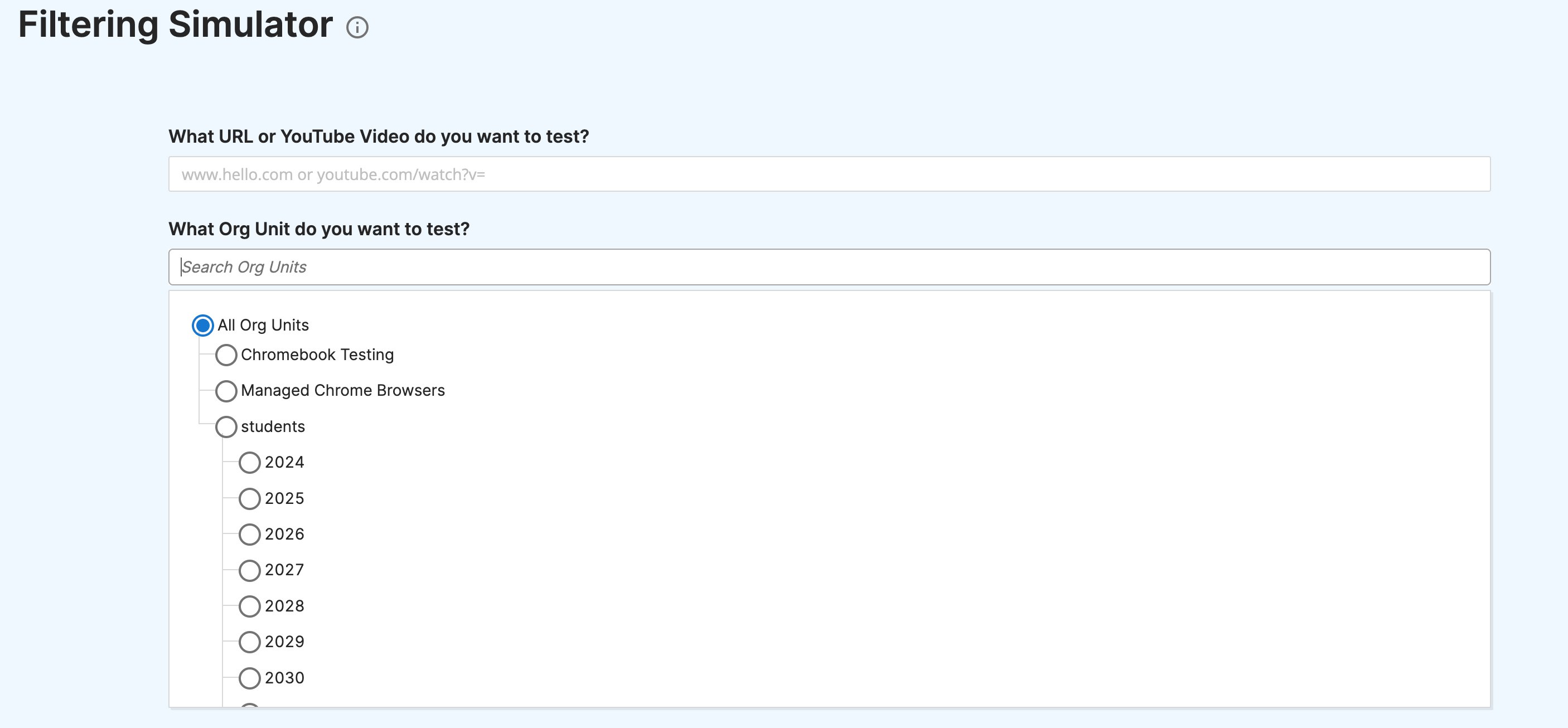
- In GoGuardian Admin, go to Filtering > Filtering Simulator.
- In the URL field, enter the full website address you want to test, for example,
coolmathgames.comor a direct YouTube watch URL. - Choose All org units to test against every OU at once, or select one or more individual org units to narrow the result.
- Click Run Simulation.
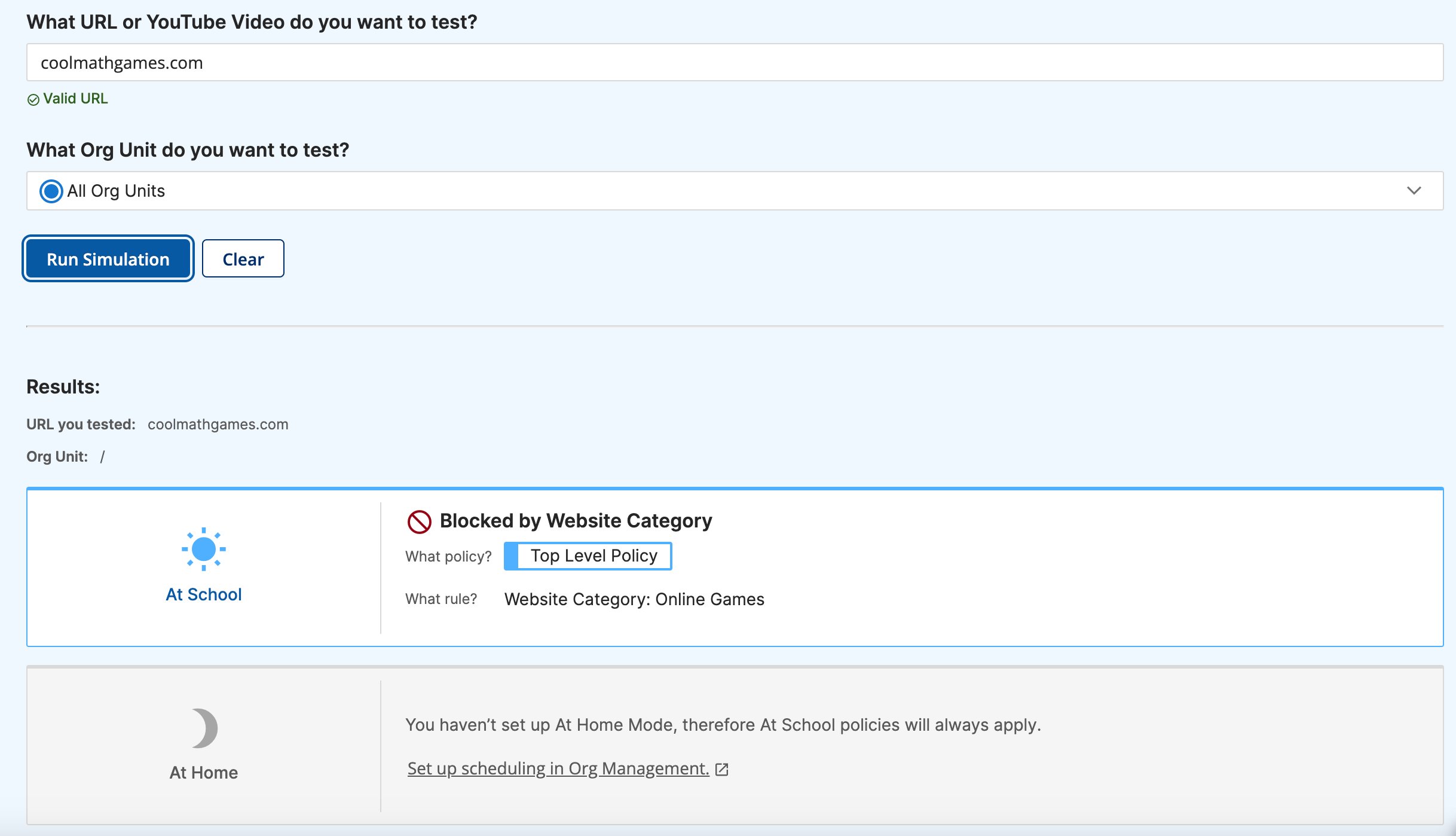
- The results appear below the form. Each row shows the OU tested, whether the URL is blocked or allowed, which policy applied the rule, and the specific rule that produced the result. For category-based blocks, the result lists the category name. For URL-based blocks, the result lists the blocked URL entry.
Interpret Simulation Results
Each result row covers the following:Organizations that do not use At Home Mode see only At School filtering results. If At Home Mode is active, the simulator returns a separate result row for each context so you can compare the two.
Test YouTube Content
The Filtering Simulator handles YouTube URLs and accounts for all YouTube-specific filtering layers in the applied policy, including Restrictive Mode, channel rules, video rules, category rules, and keyword filters.- In the URL field, enter a full
youtube.com/watchURL for the video you want to test. The simulator requires a direct watch URL and does not support YouTube Shorts URLs or full channel URLs. - Choose the OU you want to test. YouTube filtering results reflect the policy assigned to that OU.
- Click Run Simulation.
- The result shows whether the video is blocked or allowed. If the video is blocked, the result identifies the YouTube filter rule responsible, for example, a Music category filter or a specific channel block from the applied policy.
YouTube Shorts URLs and full channel URLs are not supported in the simulator. Use a direct
youtube.com/watch URL for individual video tests.
Understand Simulator Limitations
The simulator reads policy rules assigned to org units. It does not account for all filtering sources in your district configuration.FAQ
Can I test a specific student rather than an entire org unit? The simulator targets org units, not individual students. To simulate filtering for a specific student, select the OU that student belongs to. \ Why does the simulator show a different result than what a student actually sees? The simulator does not account for Global Filter Settings, Custom Group rules, or DNS filtering. If the simulated result and the observed result do not match, check those sources next. Where can I find a URL that was recently blocked? Go to Activity > Browsing Activity in GoGuardian Admin to review blocked and allowed site activity by student or OU.Resources
Understand Filtering Policies
Review the policy model before interpreting simulator results.
Configure YouTube Filtering
Learn how YouTube filtering layers interact when you need to interpret a YouTube simulation result.
A Site Is Blocked Unexpectedly
Use this troubleshooting flow when the simulator result does not match the observed behavior.
Understand Policy Precedence
Use this concept page when an unexpected policy is winning in the simulation result.