

- In GoGuardian Admin, go to Configuration → My Policies and open a policy.
- Select the YouTube section.
- Turn on Block Live Chat.
This toggle is disabled by default.
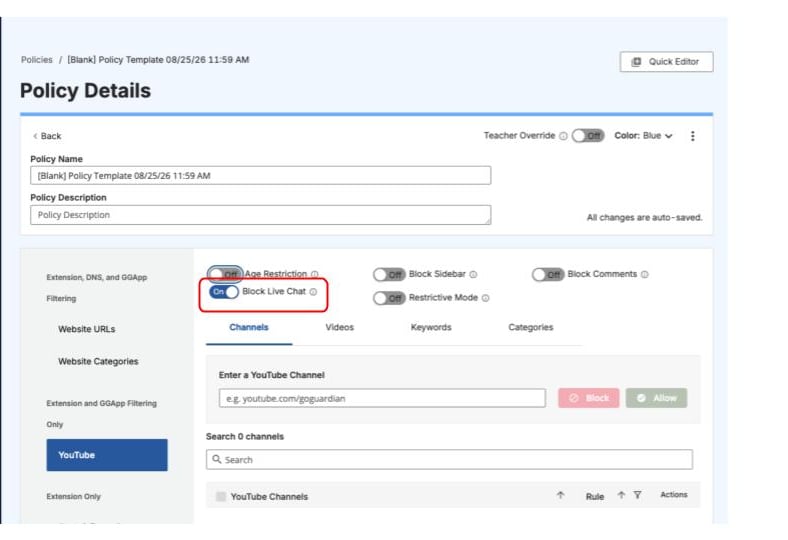
Turn on the Block Live Chat toggle in a policy’s YouTube section to disable YouTube live chat for all users filtered by that policy.