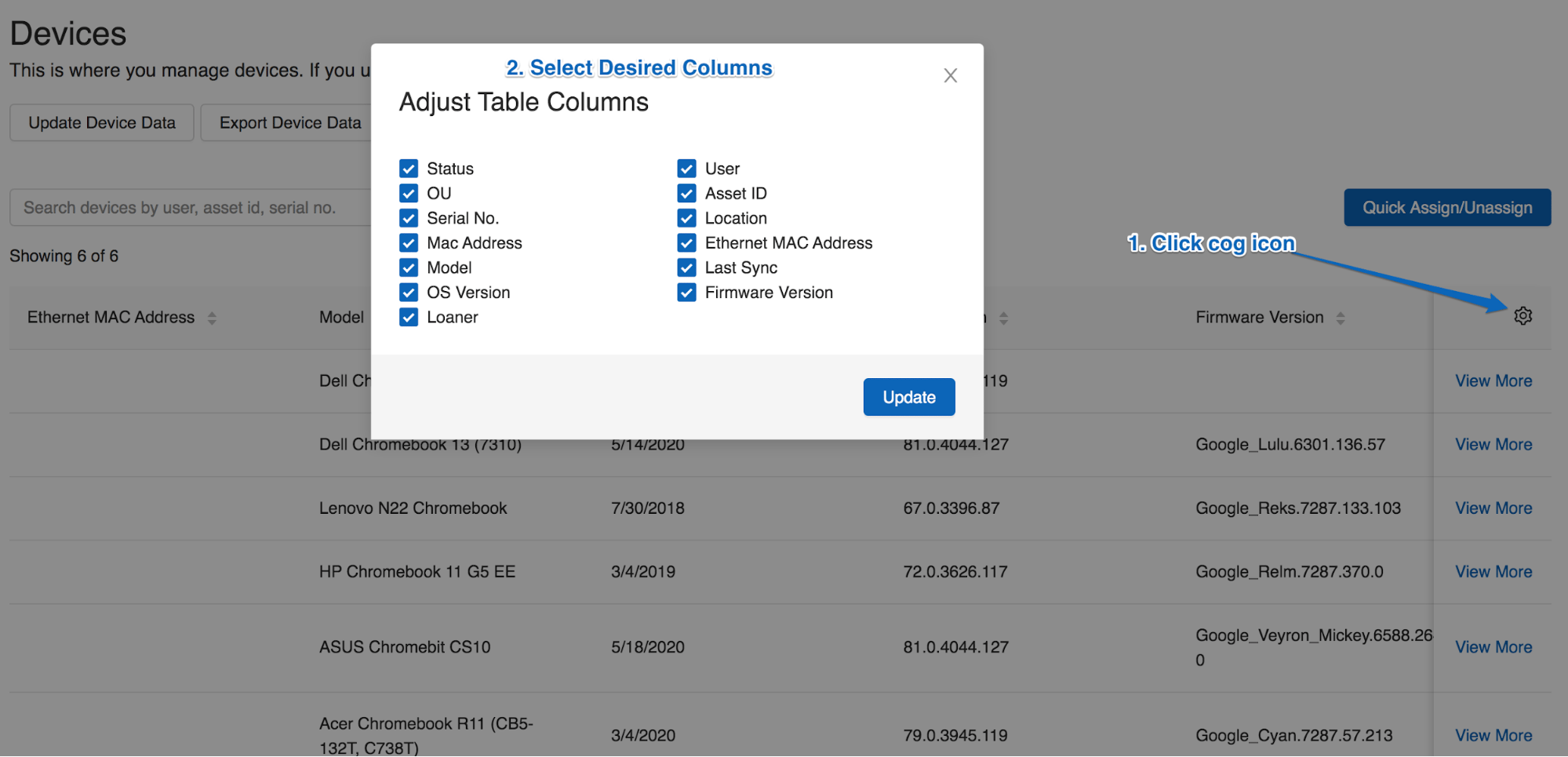
Choose which columns appear in the Devices and Repairs tabs in GoGuardian Fleet to find and view specific device details.
GoGuardian Fleet can display up to four columns at once in both the Devices and Repairs tabs, and you can change which device attributes appear — status, assigned user, organizational unit, location, and more. The Repairs tab has three additional display options: Cost, Time Spent, and Type of repair. Changing columns works well with Fleet’s search filters to find specific device details.