Create an Admin Account
Only Super Admins can create new admin accounts. If you do not have Super Admin access, contact your point of contact to request a role change.- In the navigation menu, go to Manage District or Manage School.
- Select Users.
- Click the District Admin or School Admin tab, depending on the account type you are creating.
- Click + Add.
- Fill out the required details.
- Click Yes, Create.
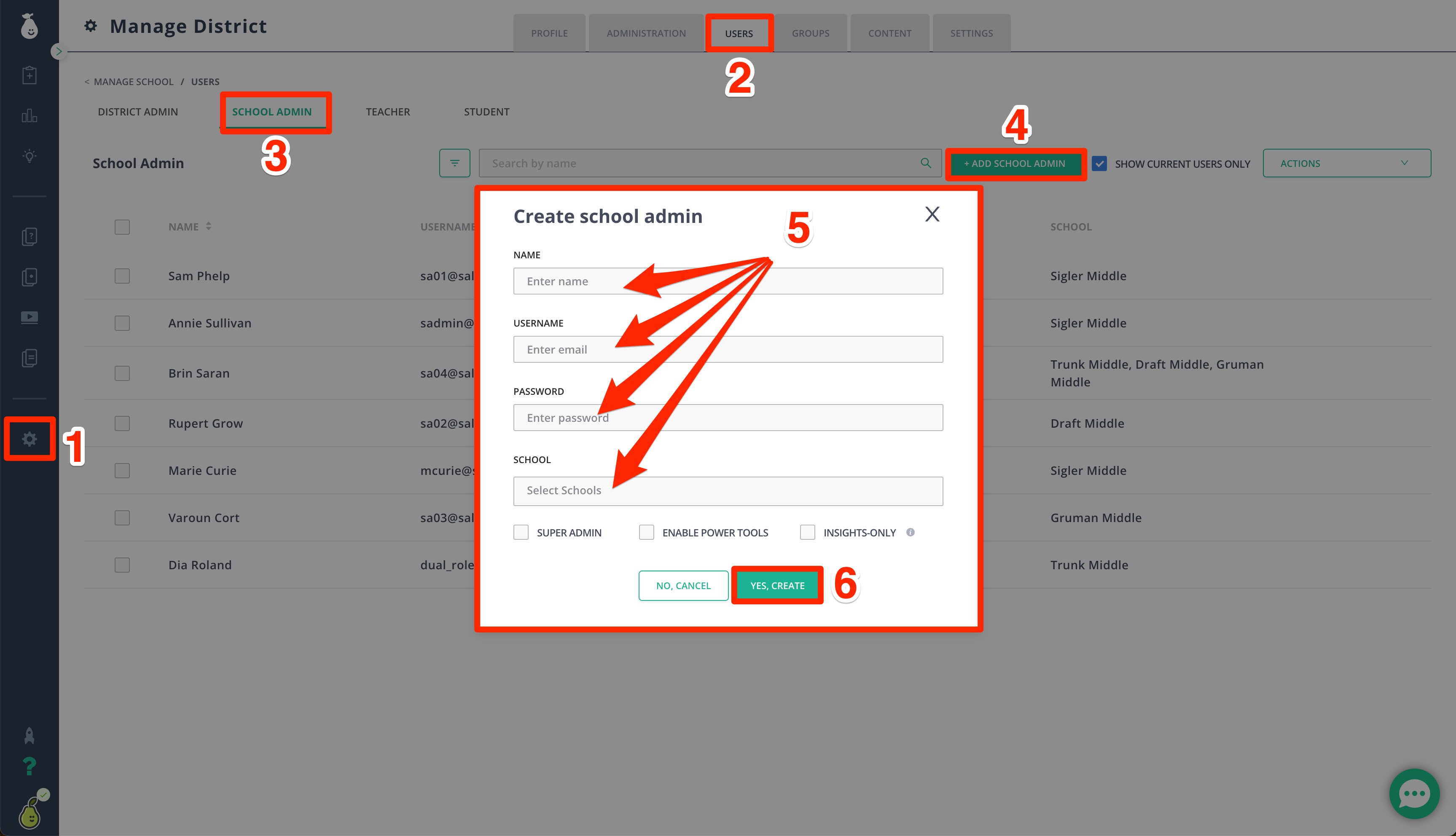
Super Admin allows users to manage the district. Enabling Power Tools gives users more advanced configurations. Insights Only restricts users to viewing insights for all assignments within the school or district.
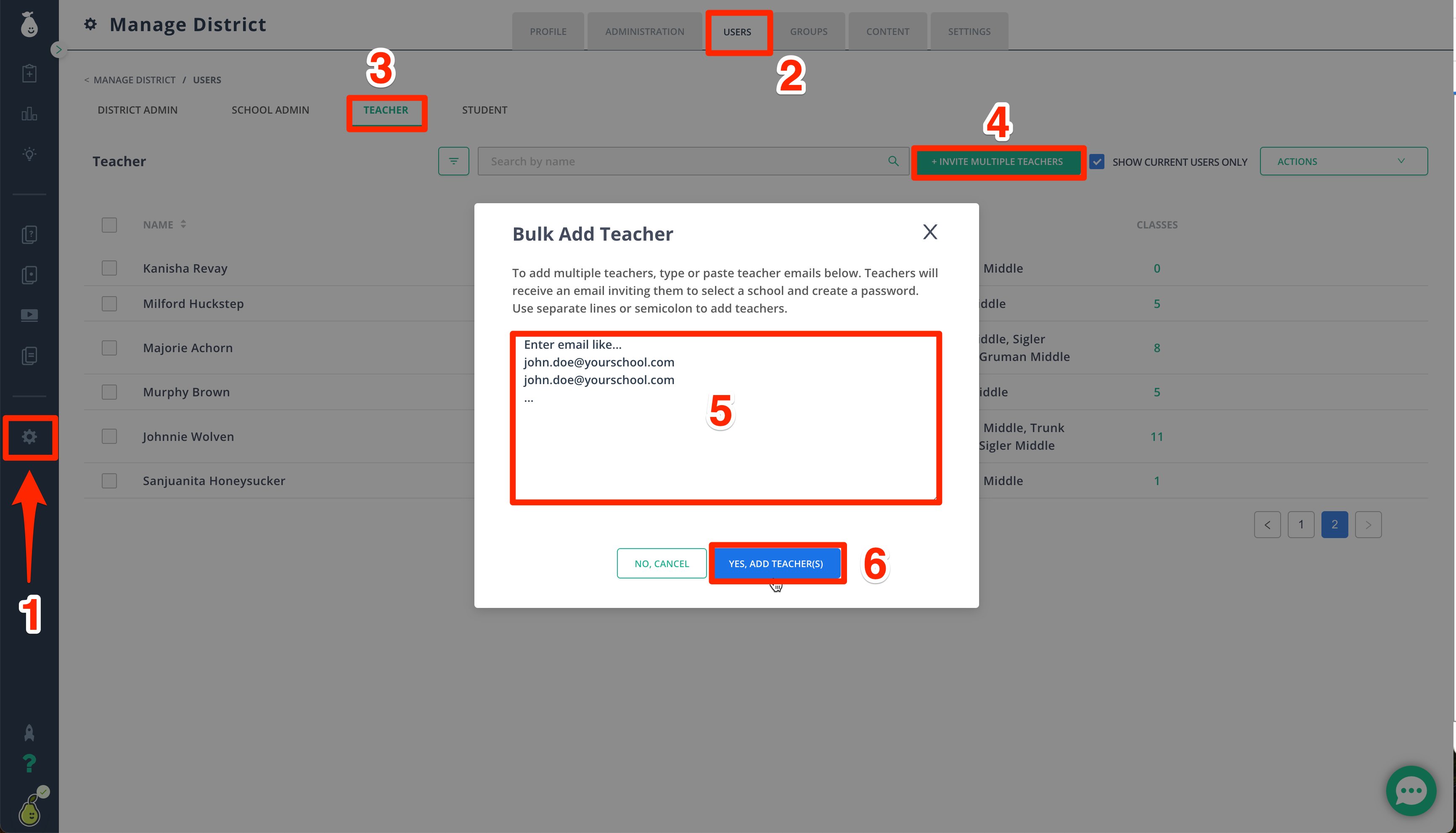
Create a Teacher Account
- In the navigation menu, go to Manage District or Manage School.
- Select Users.
- Click Teachers.
- Click + Invite Multiple Teachers.
- Add each teacher’s email address on a separate line.
- Click Yes, Add Teacher(s).
If a user account already exists, deactivate it from the Actions menu before sending a new invitation.