Correct Class Names
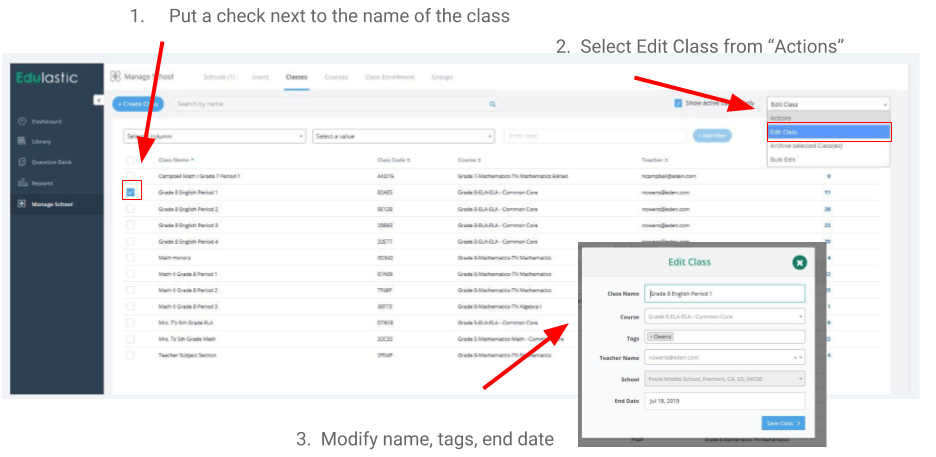
- Go to the Manage School or Manage District tab. School admins can only modify classes for their school. district admins can modify all classes.
- Click the Classes tab and use the filter boxes to search by class name.
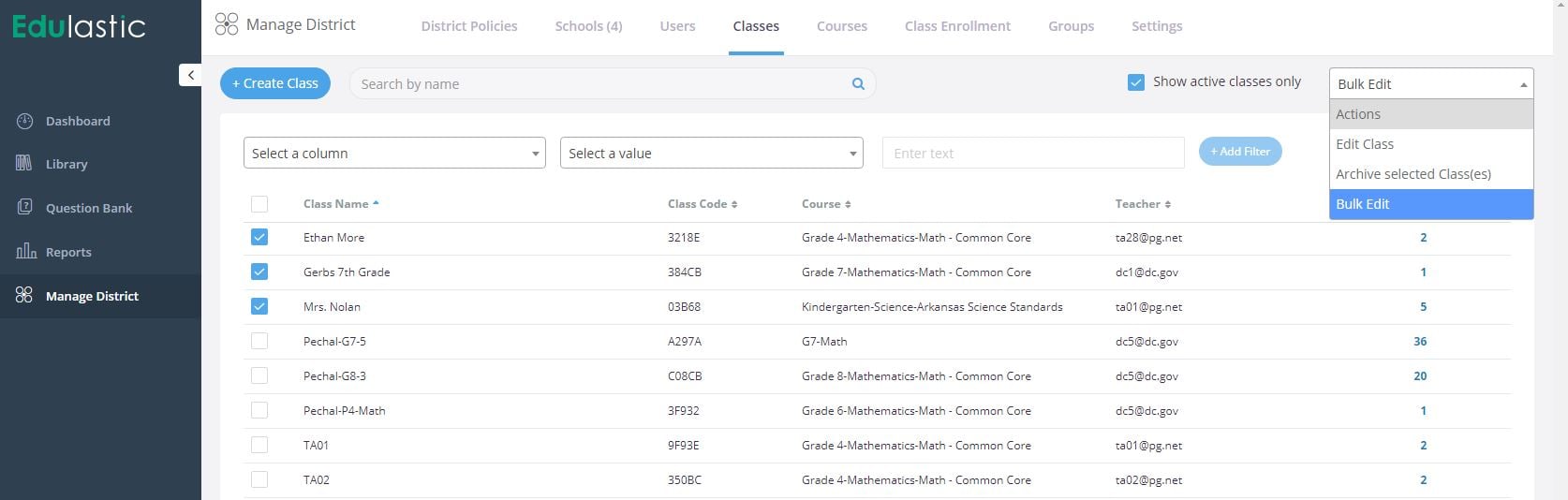
- Place a checkmark next to the class or classes you need to edit.
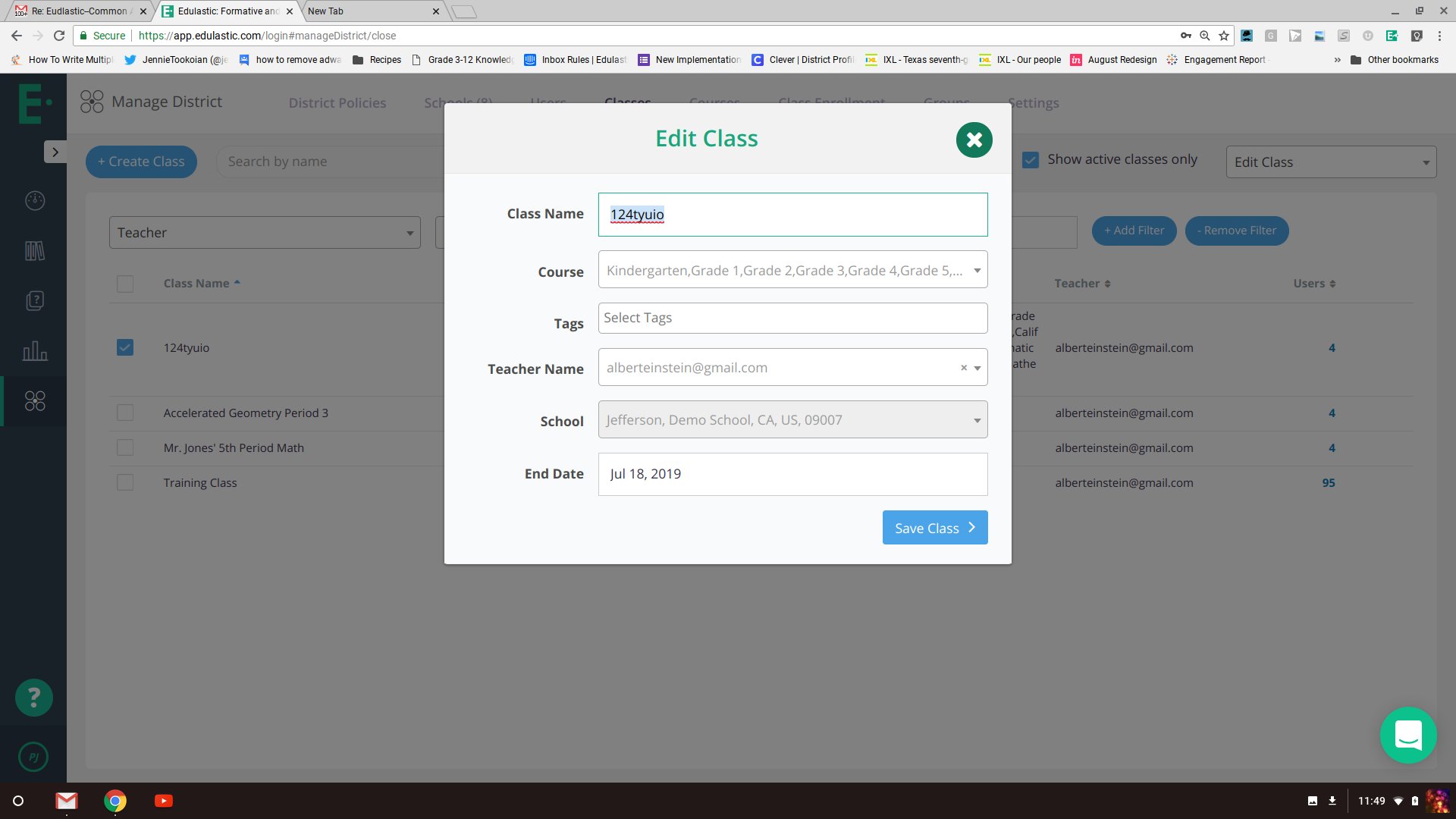
- From the dropdown, select Edit Class to edit a single class, or select Bulk Edit to modify more than one class at a time.
- Change the name, course name, or other fields to match your naming conventions.
- Click Save.
Renaming a class does not affect assignments that are currently assigned. The new class name appears in the assignments list going forward.