

Add a Single Teacher Account
-
Sign in to manage.goguardian.com.
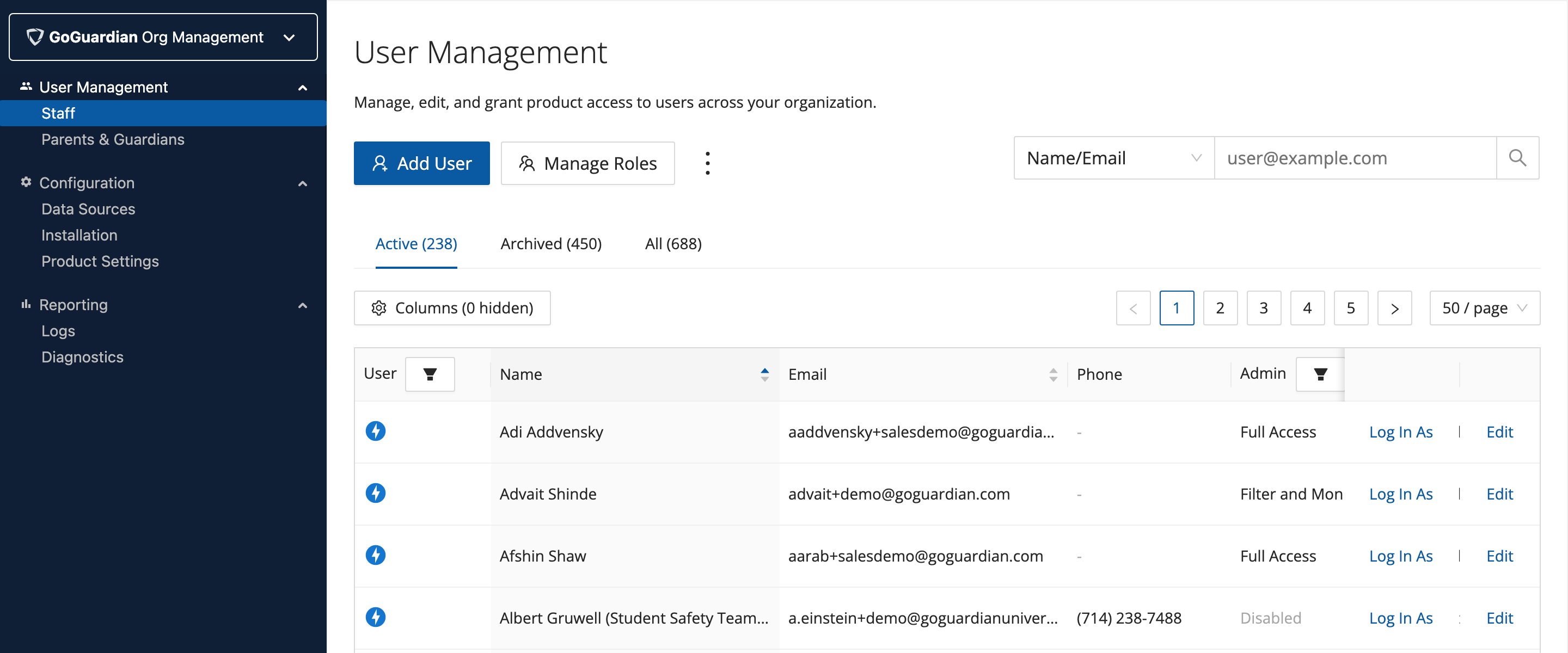
- Click Add User. Enter the teacher’s first name, last name, and school email address.
- Set the GoGuardian Teacher option to Enabled. If the teacher should be able to manage other teacher accounts, turn on the Super User toggle.
- Assign Teacher OU access if you want to limit which students this teacher can access. If you want the teacher to have full OU access, leave the default selection.
- Scroll to the bottom and click Save.
- A welcome email with a password setup link is sent to the teacher automatically. The link expires after 48 hours. If the link expires, use the Reset Password option to send a new one.
Welcome emails are sent only when accounts are created individually. Accounts created via CSV upload or integration sync do not receive a welcome email.
Add Multiple Teacher Accounts by CSV
- Go to manage.goguardian.com.
-
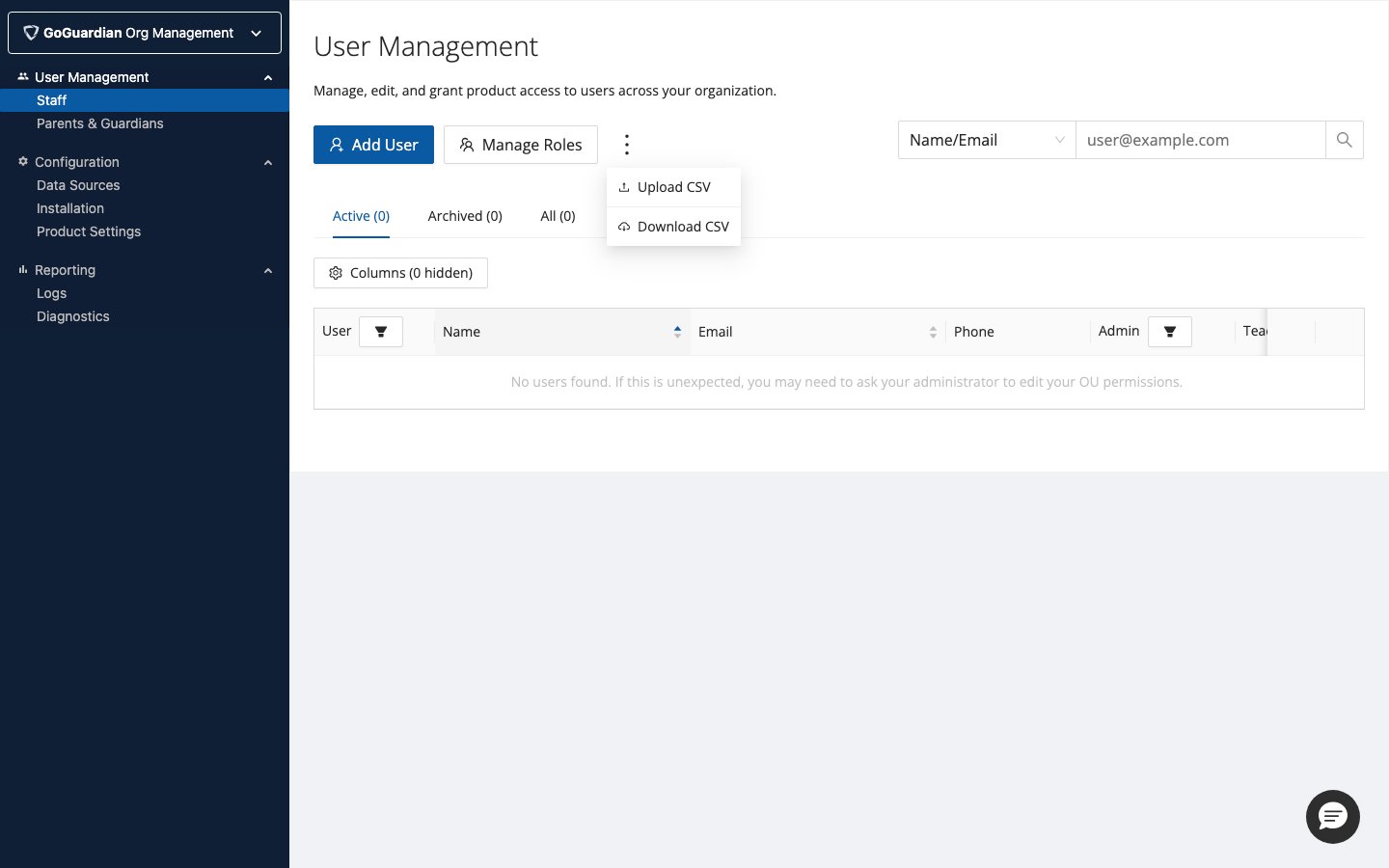
Click the 3-dot menu and select Download CSV to get the CSV template.
- Add teacher information to the CSV. See the Bulk-Add Users by CSV article for formatting details.
- Set permissions, status, and OU access in the CSV.
- Upload the completed CSV.
Add Teacher Accounts Through Clever or ClassLink
If your organization uses Clever or ClassLink, you can sync teacher accounts, classes, and class rosters directly into GoGuardian Teacher. See the integration setup articles for step-by-step instructions:- Instructions for Integrating Clever with GoGuardian
- Instructions for Integrating ClassLink with GoGuardian
Resources
Manage Users and Settings
Edit, disable, and manage existing teacher accounts in Org Management.
Import Teachers from Google Directory
Sync teacher accounts automatically from Google Admin Console.
Log In as a Teacher
Sign in to a teacher’s account to troubleshoot or assist with setup.