

Global Config settings honor your In School and Out of School Mode schedule. A setting enabled here applies only during the scheduled filtering window for each context.
Review Available Settings
The following settings are available under Filtering > Advanced Config in GoGuardian Admin.Block Consumer Google Accounts is covered in Allow and Block Websites. For steps and behavior details, see that article.
If your organization uses Restrictive Mode, add
*mail.google.com* as an allowed site so users can still sign into their managed Gmail accounts. Restrictive Mode blocks all sites not explicitly allowed, which includes Google sign-in pages unless you add the allow rule.Users who added a personal Google account to their device before this toggle was enabled are not automatically removed. To remediate existing personal accounts, remove them from the device manually or force a first-time sign-in through Google Admin Console.
Enable a Global Config Setting
All Global Config settings follow the same steps. Repeat this procedure for each setting you want to turn on.- In GoGuardian Admin, go to Filtering > Advanced Config.
- Find the toggle for the setting you want to enable: Force SafeSearch, Safe Translator, Block Direct IP Access, or Filter Embedded Content.
- Turn on the toggle. The toggle turns green when the setting is active.
- Verify the result: The toggle displays green and the setting is listed as active. The change takes effect for all users filtered by GoGuardian.
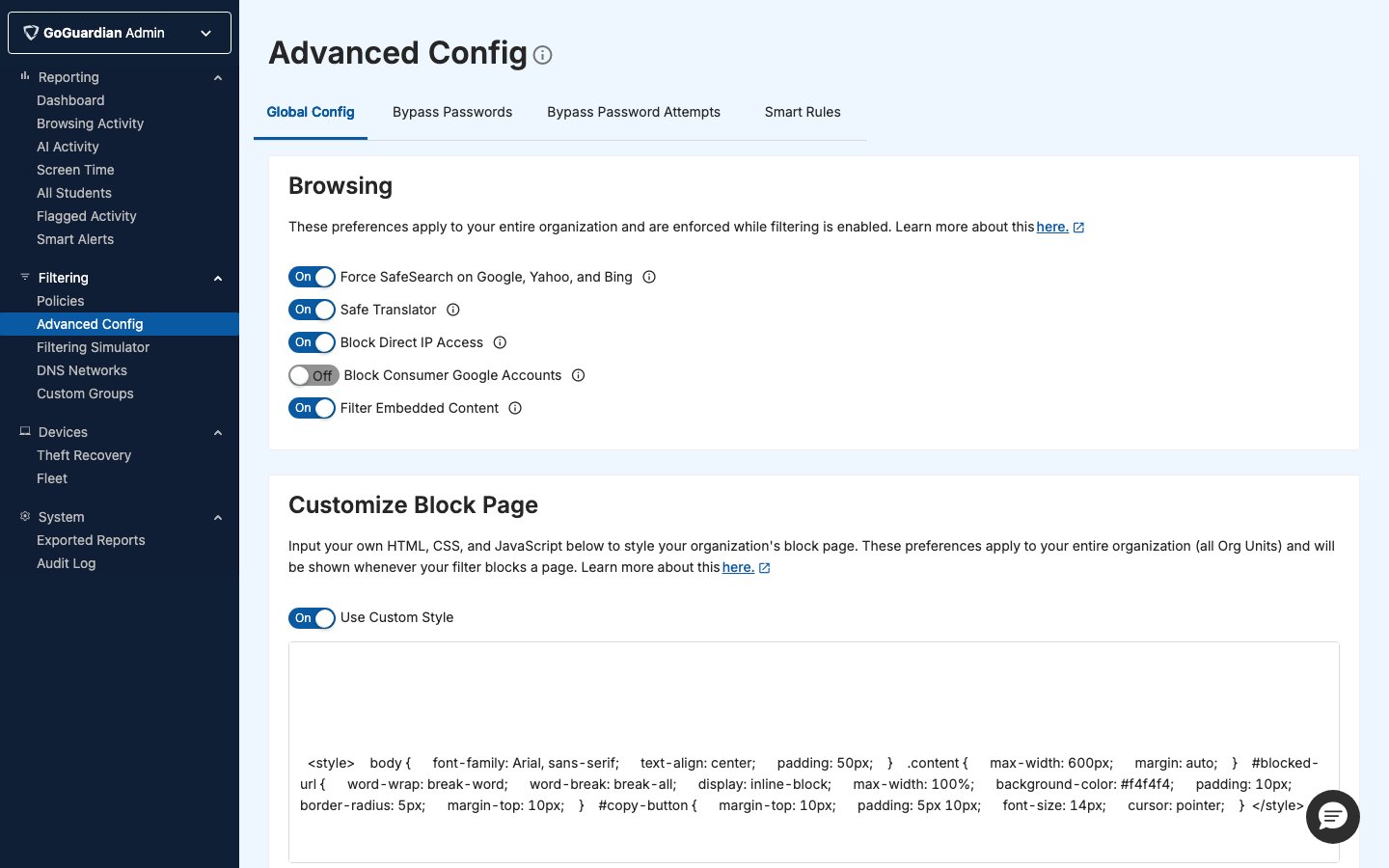
Understand Each Setting
Force SafeSearch
Force SafeSearch removes explicit content from search results on Google, Bing, and Yahoo. Each of these services offers its own SafeSearch toggle, but users can disable it on their own. Enabling Force SafeSearch through GoGuardian Admin enforces the setting regardless of what users do in their account preferences. This setting applies globally to all users. It cannot be restricted to a subset of users or policies.Safe Translator
Translation tools like Google Translate can load a full webpage through a translated URL, which can route users around URL-level filtering. Enabling Safe Translator applies your content filtering policies to sites accessed throughtranslate.google.com and blocks all sites in the Translators website category for all users, regardless of whether that category is blocked in a specific policy.
If a legitimate translator site is blocked after you enable this setting, add an allow rule for that site in the relevant policy. Use a wildcard pattern: for example, *spanishdict.com*: to ensure the allow rule overrides the global block. For wildcard syntax, see Use Wildcard Rules in Policies.
Block Direct IP Access
Websites can be reached by hostname or by their public IP address. A user who enters a raw IP address: for example,74.125.224.72: into a browser can bypass hostname-based filtering rules. Enabling Block Direct IP Access prevents access to websites via direct IP entry.
If specific IP addresses need to remain accessible, add them as allowed sites in the relevant policy. You can use a wildcard pattern to allow a range: for example, *74.125.224* allows any IP address containing that segment.
Filter Embedded Content
An iFrame is an HTML element that embeds content from an external source inside a webpage. Because GoGuardian Admin policy rules filter by top-level domain, embedded content from a different domain can load even when the source domain is blocked. Enabling Filter Embedded Content extends policy filtering rules to cover embedded sources, not just top-level domains.Filter Embedded Content does not apply to users whose assigned policy is set to Restrictive Mode. If a policy uses Restrictive Mode, embedded content is not blocked for users on that policy. For more information, see the Restrictive Mode exception in Review Policy Precedence.
Manage AI Activity Detection
Detect AI Activity is an organization-wide Advanced Config setting for Prompt Visibility. It is on by default and controls whether GoGuardian captures supported student prompts and AI-generated responses. It does not control standard webpage records in Browsing Activity. Access to the setting is controlled by the Advanced Config permission in Org Management. For setup steps, behavior, and supported AI tools, see Review AI Activity with Prompt Visibility.Resources
Allow and Block Websites
Close additional bypass routes, including Block Consumer Google Accounts, Guest Mode, and Incognito Mode.
Use Wildcard Rules in Policies
Add allow rules for specific sites or IP ranges within a policy.
Understand Policy Precedence
Review how GoGuardian Admin resolves conflicts between global settings and policy-level rules.
Understand Filtering Contexts
Learn how In School and Out of School Mode affects when Global Config settings are active.